

Stop Adapting Your Workshop to Zoom. Your Body Is Still There.
Here is a number that changed how I design remote sessions.
Researchers studied almost 10,000 people to understand what exactly makes videoconferencing so exhausting. The number one predictor was feeling physically trapped. Ahead of the mirror effect of seeing your own face all day. Ahead of the eye contact overload. The chair, the frame, the "sit up straight and stay visible" etiquette. That's what drains people the most.
So when we design remote workshops, movement should be a priority, right? It is. And this is where almost everybody, me included for years, takes the wrong turn.
What people do (and why I stopped)
When facilitators want "movement" in a remote session, here is what usually happens:
The Miro zones. You create areas on a shared board, one per option, and ask people to "move" their sticky or their avatar to the zone that matches their opinion. A virtual spectrogram.
The breakout shuffle. You reassign people to breakout rooms every round and call it a World Café. People "travel" between tables.
The board carousel. Groups switch which frame they edit every 10 minutes. A virtual gallery walk.
Let me be precise here, because this is the part people misread: these techniques are useful. I use them. A positioning canvas gives you the opinion data. Breakout rotation gives you the cross-pollination. The function survives.
But call them what they are: navigation techniques. Clicking, dragging, being teleported by an algorithm. Your participants' bodies did exactly nothing. They sat in the same chair, in the same frame, in the same physical cone they've been trapped in all day. The thing the research says exhausts them the most? Untouched.
The function of the in-person pattern survived. The movement died in translation. And the movement was the medicine.
If you want the broader framework first, read The 10 Movement Patterns Hiding in Every Workshop, which maps the ten in-person patterns these remote techniques replace rather than imitate.
The reframe
So I stopped trying to translate in-person patterns to remote tools. Instead I asked a different question: what does remote offer that a conference room never will?
The answer is surprisingly rich. Every participant has a body (still there, last time I checked). A private space full of personal objects. Windows with different views. A street or a garden outside. And a phone, which means they can stay connected while moving.
No meeting room in the world gives you twenty different homes, twenty streets, and twenty pockets.
From there, I use three remote movement patterns. Real ones, where bodies move.
Pattern A: Move in front of the camera
The station stays put. The body moves inside the frame.
- Stand up to vote yes, stay seated for no. The grid view becomes your live poll.
- Step to the left of your frame for option 1, to the right for option 2.
- Physically raise your hand instead of clicking the reaction. Old school. Works every time.
- Lean toward the camera to agree, lean back to disagree. A spectrogram in one dimension: distance to the lens.
Zero setup, zero dead air, and it gives cameras a reason to be on. In camera-shy cultures this alone changes the energy of a call.
One caveat: small frames make subtle positions unreadable. Keep the encoding coarse. Binary or three options, no more.
Pattern B: Leave the station and come back
Timeboxed missions away from the desk. The return is the payoff.
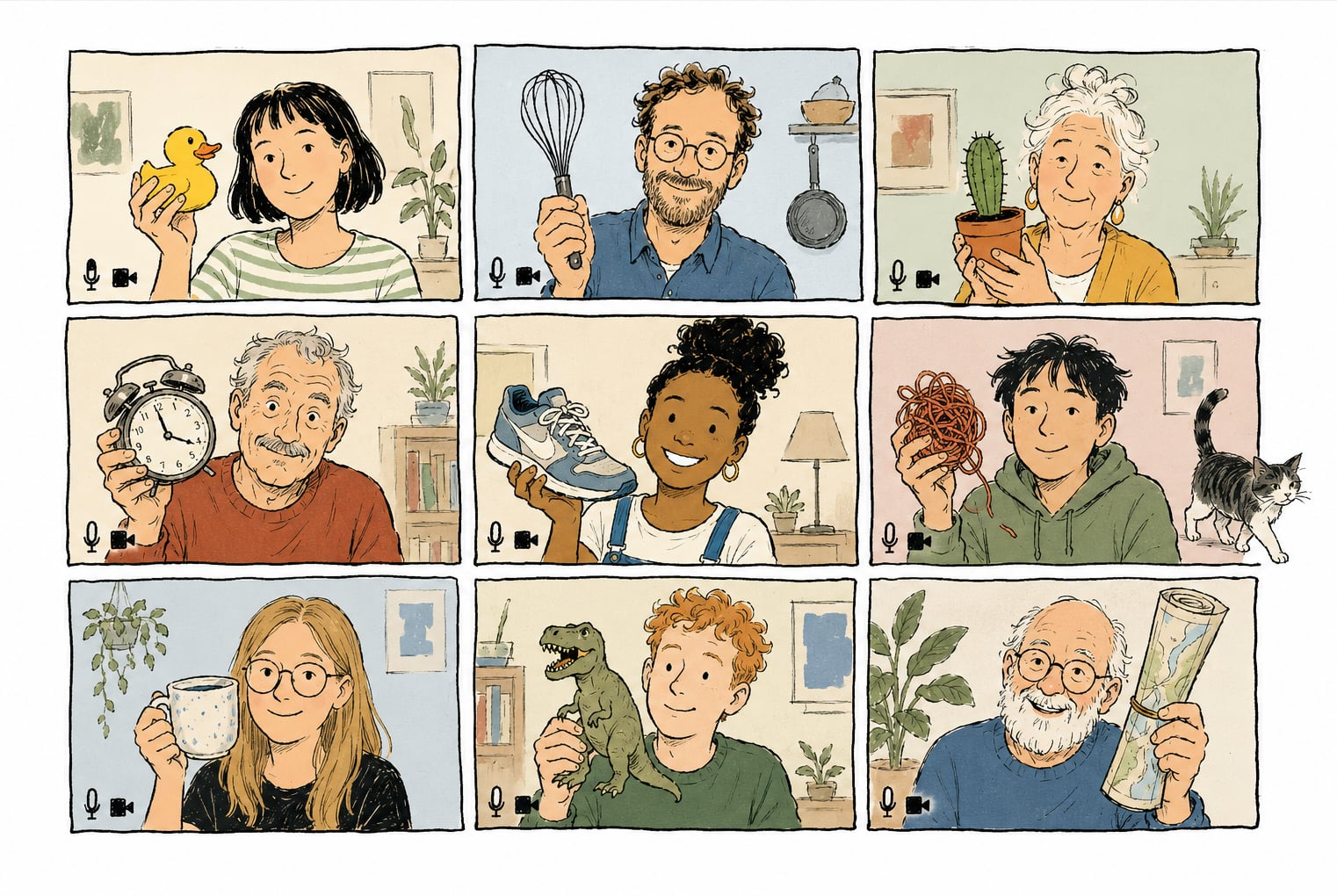
- The object quest. "You have 90 seconds. Bring back an object that represents the problem we're working on." Then everyone shows and explains. I have never seen this fail. The objects are personal, surprising, and infinitely better conversation starters than any abstract prompt.
- The photo mission. Photograph something in your space that matches the question, post it to the shared board. The board becomes the harvest. The walk to find the photo was the activity.
- The window report. Go to a window, look for one minute, come back and describe what you saw through the lens of our topic.
The caveat here: dead screens. Always run a visible countdown, put some music on, and say clearly what to do on return. Keep missions under 3 minutes.
Pattern C: Take the station with you
The phone is the remote body.
- The phone walk & talk. Pair people up, they call each other, cameras off, and each walks their own street or park while discussing the prompt. Twenty minutes. Then back to the screen for the harvest. Use the walk for divergence, then return to the screen to compare and choose. Walking supports idea generation; Brucks and Levav found that videoconferencing inhibited idea generation but did not hurt idea selection.
- The room hop. "Join the next round from a different room." New background, new posture, new mindset. A scene change no physical venue can offer.
- The narrated tour. Two minutes, camera on, walk your space and show us something relevant. Your desk. Your bookshelf. The whiteboard on your fridge.
Caveat: this tier has real logistics. Wind on the microphone, dropped connections, safety while walking. Brief people, agree on a reconvene time, and don't stack two of these back to back.
The test I apply now
Before I call anything a movement activity in a remote session, one question: did a body move, or did a cursor move?
Cursor moves are fine. They carry information, they keep hands busy, they have their place. But they don't touch the number one cause of remote exhaustion. Only bodies do that.
Try the object quest in your next call. 90 seconds, one object, that's the whole recipe. Then come tell me what people brought back. In my experience, that's the moment a remote group stops being a grid of heads and becomes people again.
The 10 Movement Patterns Hiding in Every Workshop
A practical framework for ten in-person and three remote-native movement patterns that facilitators can use to understand, adapt, and invent workshop activities.
What Science Actually Says About Movement in Workshops (Including Three Things It Doesn't Say)
Five evidence-backed findings about movement in workshops, plus three popular facilitation claims that research does not support.